

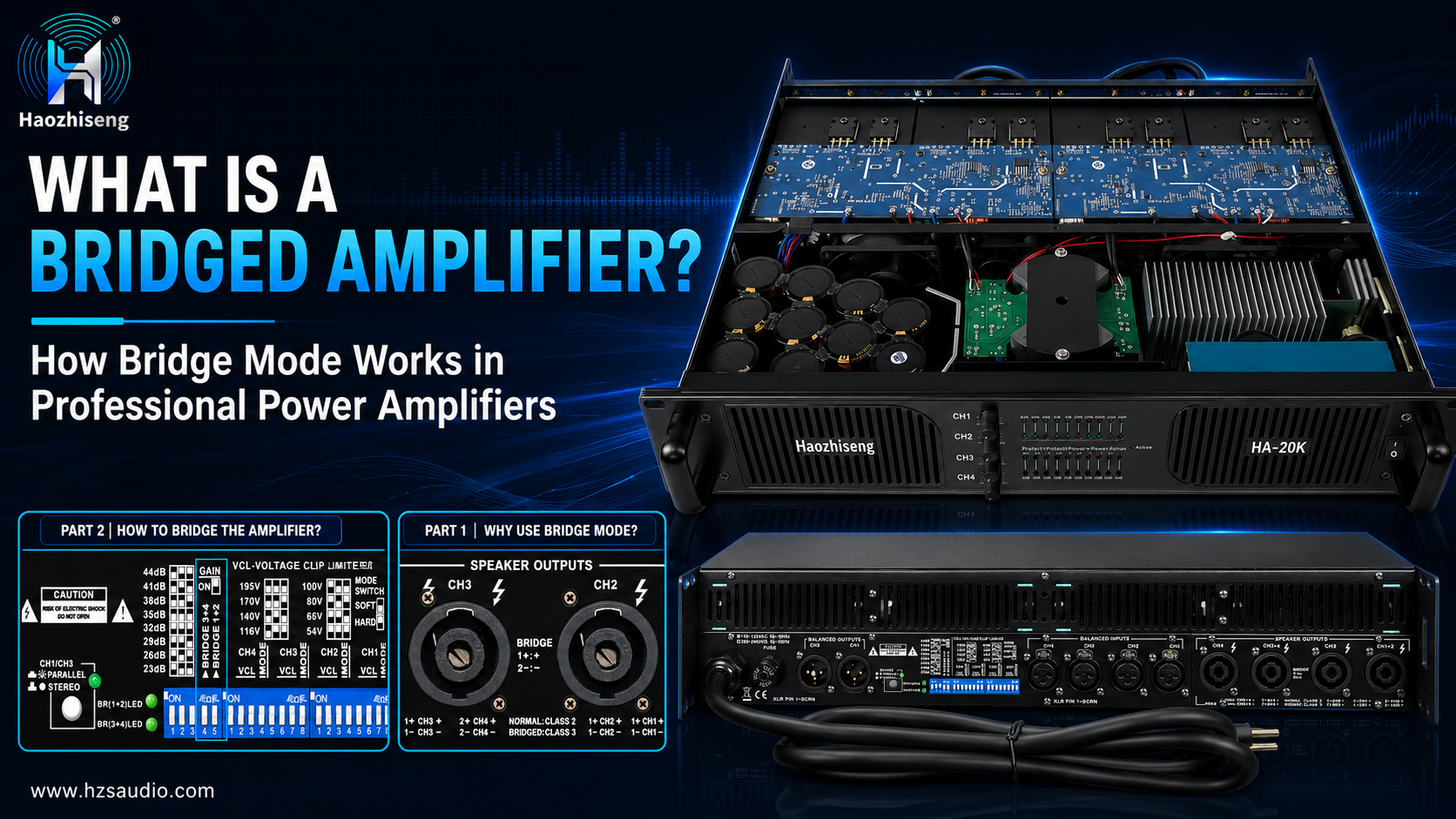
What Is a Bridged Amplifier? How Bridge Mode Works in Professional Power Amplifiers
Bridge mode, also known as BTL (Bridge-Tied Load) operation, is an amplifier operating mode that combines two amplifier channels to drive a single loudspeaker or speaker system.
Unlike normal stereo operation, the speaker is connected between the active outputs of two amplifier channels. The two channels produce opposite-polarity signals, increasing the voltage delivered to the load. In bridge mode, the speaker output is floating, so neither speaker terminal should be connected to the amplifier chassis or ground unless specifically stated in the product manual.
Many professional power amplifiers support bridge mode, but the available bridge configurations, output power, minimum load impedance, connector pin assignments, and control methods vary between models. Always follow the amplifier’s rear-panel labels and user manual before making any connections.
Why Use Bridge Mode?
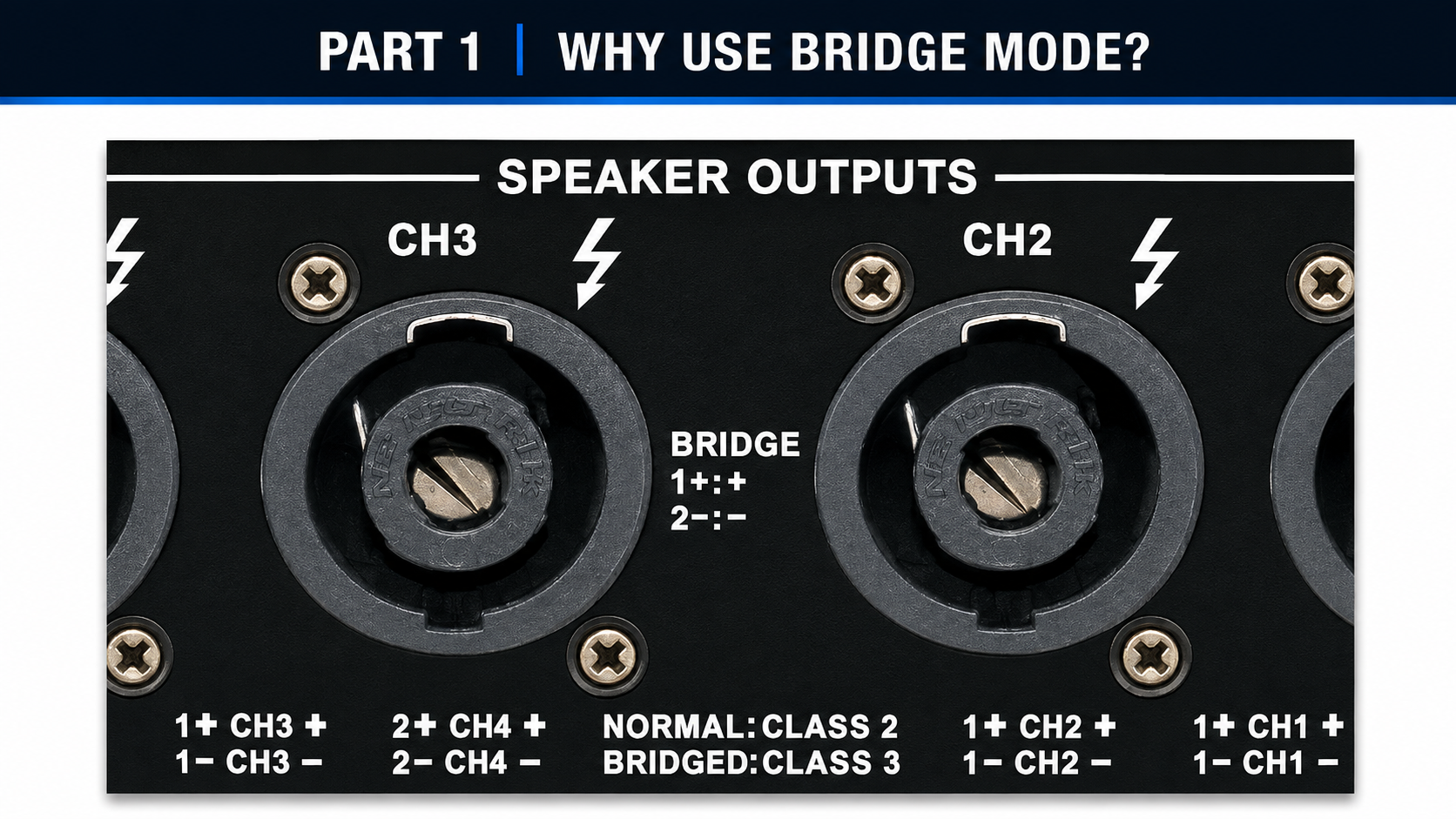
Bridge mode may be useful in the following applications:
- Driving high-power subwoofers and low-frequency speaker systems
- Increasing the voltage output available to a single speaker
- Combining two amplifier channels into one higher-power output
- Building high-output PA systems for concerts, touring productions, clubs, karaoke venues, and rental applications
Bridge mode uses two amplifier channels to drive one load, so the channels cannot be controlled as independent stereo outputs. The connected speaker must also meet the amplifier’s bridge-mode impedance and power requirements.
How Does Bridge Mode Work?
When two amplifier channels are bridged, one channel produces the normal signal while the other produces an inverted signal. The speaker receives the voltage difference between the two channels.
For example, if each channel produces 40 V RMS:
- Channel A output: +40 V RMS
- Channel B output: −40 V RMS
- Total voltage across the speaker: 80 V RMS
With an 8-ohm speaker, the theoretical output power is:
P = V² ÷ R = 80² ÷ 8 = 800 W
Under ideal conditions, doubling the output voltage can provide up to four times the power at the same impedance. However, the actual output is limited by the amplifier’s power supply, current capability, thermal design, protection circuits, and minimum bridge-load specification.
An 8-ohm speaker in bridge mode represents approximately a 4-ohm load to each amplifier channel. Therefore, the amplifier must be rated for the selected bridge configuration.
Haozhiseng Audio HA20K Bridge Mode
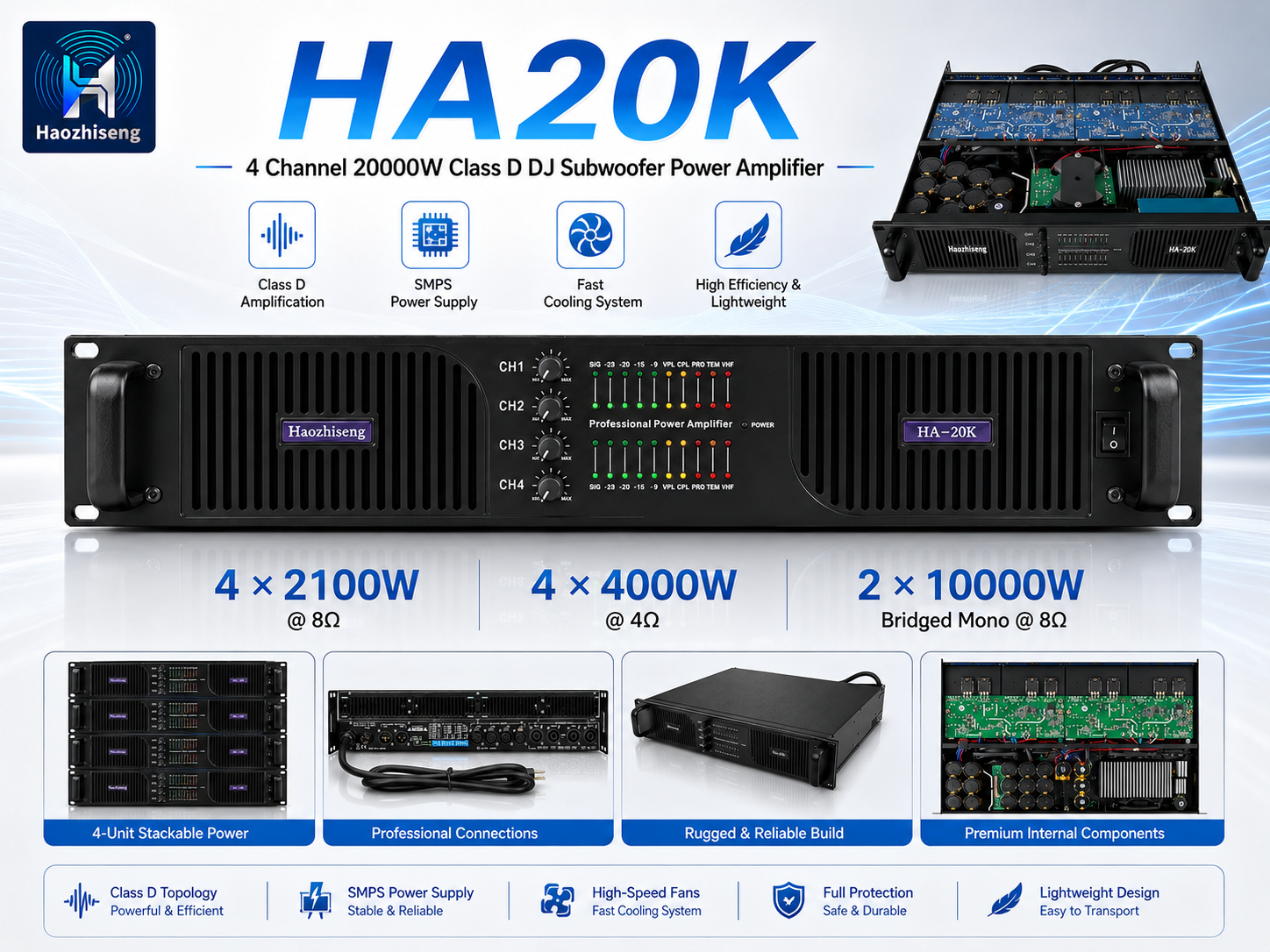
The Haozhiseng Audio HA20K is a four-channel professional switching power amplifier designed for high-output sound reinforcement applications.
| Operating Mode | Rated Output |
|---|---|
| Stereo mode | 4 × 2,100 W at 8 Ω |
| Stereo mode | 4 × 4,000 W at 4 Ω |
| Bridged mono mode | 2 × 10,000 W at 8 Ω |
The HA20K provides two bridge pairs:
- Bridge 1 + 2: Combines channels 1 and 2
- Bridge 3 + 4: Combines channels 3 and 4
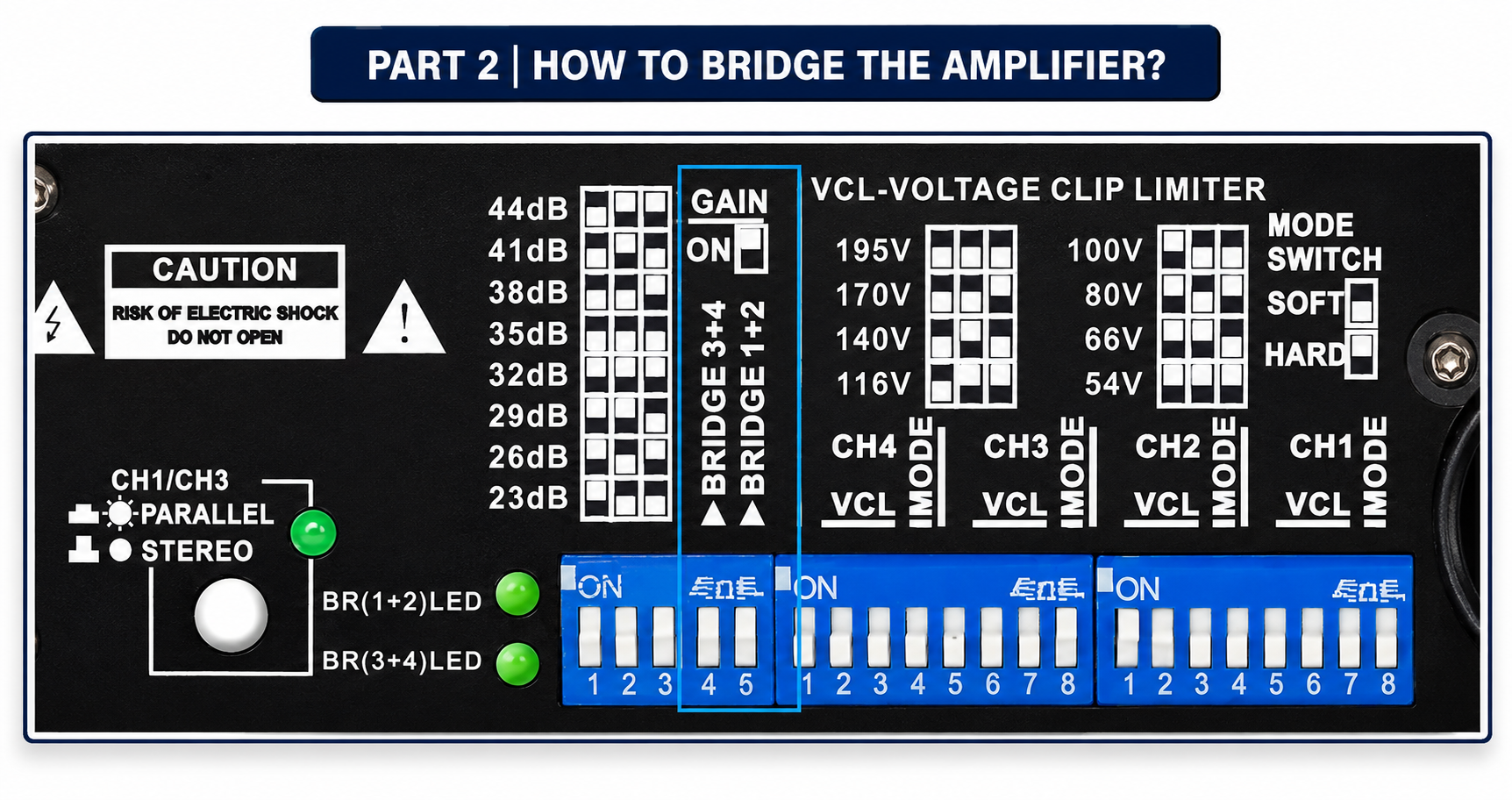
The rear panel includes dedicated Bridge 1+2 and Bridge 3+4 switches. When bridge mode is selected, the amplifier applies automatic −6 dB gain compensation.
How to Configure Bridge Mode on the HA20K
1. Turn Off the Amplifier
Turn off the HA20K and disconnect it from the AC power supply before changing any mode switches or speaker connections.
Never change the operating mode or reconnect the speaker while the amplifier is powered on.
2. Confirm the Speaker Load
Check the speaker impedance and power rating before using bridge mode.
The HA20K bridge rating listed above is specified for an 8-ohm load. Do not connect a lower-impedance speaker in bridge mode unless the official HA20K documentation specifically permits it.
The speaker must also be able to handle the amplifier’s bridge-mode output, including continuous and peak levels.
3. Select the Bridge Mode
Set the appropriate rear-panel bridge switch to the ON position:
- Use Bridge 1+2 to combine channels 1 and 2.
- Use Bridge 3+4 to combine channels 3 and 4.
Confirm the correct switch position using the HA20K rear-panel diagram or user manual.
4. Connect the Input Signal
For the CH1 + CH2 bridge pair, connect the input signal to the controlling channel, normally CH1.
For the CH3 + CH4 bridge pair, connect the input signal to the controlling channel, normally CH3.
Use the designated input and level control for the selected bridge pair. Do not treat the two bridged channels as independent stereo channels.
5. Connect the Speaker
Connect the speaker to the dedicated bridge output connector marked CH1 + 2 or CH3 + 4 on the HA20K rear panel.
Important wiring precautions:
- Do not connect the speaker to a conventional single-channel output.
- Do not connect either speaker terminal to ground or the amplifier chassis.
- Do not connect the bridged output to another amplifier.
- Use the correct Speakon connector and pin assignment shown in the HA20K manual.
- Do not assume that the connector wiring is the same on every amplifier model.
6. Power On and Test the System
After checking all connections, power on the audio source first and then power on the HA20K.
Start with a low input level and gradually increase the volume. During testing, monitor the signal, clip, limiter, temperature, and protection indicators.
If the clip or protection indicator remains active, immediately reduce the input level and check the speaker impedance, wiring, gain structure, and ventilation.
Bridge Mode and Parallel Mode: What Is the Difference?
Bridge mode and parallel mode are different amplifier functions.
In bridge mode, two amplifier channels work together with opposite polarity to drive one speaker. The output voltage increases, and the speaker must be connected to the dedicated bridge output.
In parallel mode, one input signal is routed to multiple amplifier channels while the output channels remain electrically separate. Parallel mode does not combine the channel output voltage in the same way as bridge mode.
Select the operating mode according to the speaker configuration and system design. Do not use parallel wiring when the amplifier is configured for bridge mode.
Can Bridge Mode Damage a Speaker?
Bridge mode itself does not damage a speaker when the amplifier is correctly configured and operated within its specifications. Damage is usually caused by incorrect system configuration or operation, including:
- Connecting a speaker with an impedance below the bridge-mode limit
- Applying excessive continuous or peak power
- Operating the amplifier with severe clipping
- Using the wrong speaker output connector or pin assignment
- Incorrect gain structure or limiter settings
- Insufficient ventilation or amplifier overheating
- Connecting the bridged output to ground or another amplifier output
To ensure reliable operation, match the HA20K bridge-mode output with the speaker manufacturer’s recommended power range. Set the gain structure correctly, use appropriate limiting, and avoid operating the system continuously at clipping level.
Conclusion
Bridge mode is an effective way to combine two amplifier channels and provide higher output power for professional speakers and subwoofers.
The Haozhiseng Audio HA20K supports bridge configurations for CH1 + CH2 and CH3 + CH4, making it suitable for high-output PA and sound reinforcement systems.
Before using bridge mode, always verify the amplifier’s load impedance, output connector wiring, bridge-switch settings, ventilation, and speaker power rating. Correct configuration ensures reliable performance and helps protect both the amplifier and the connected speaker system.
Leave a Reply