

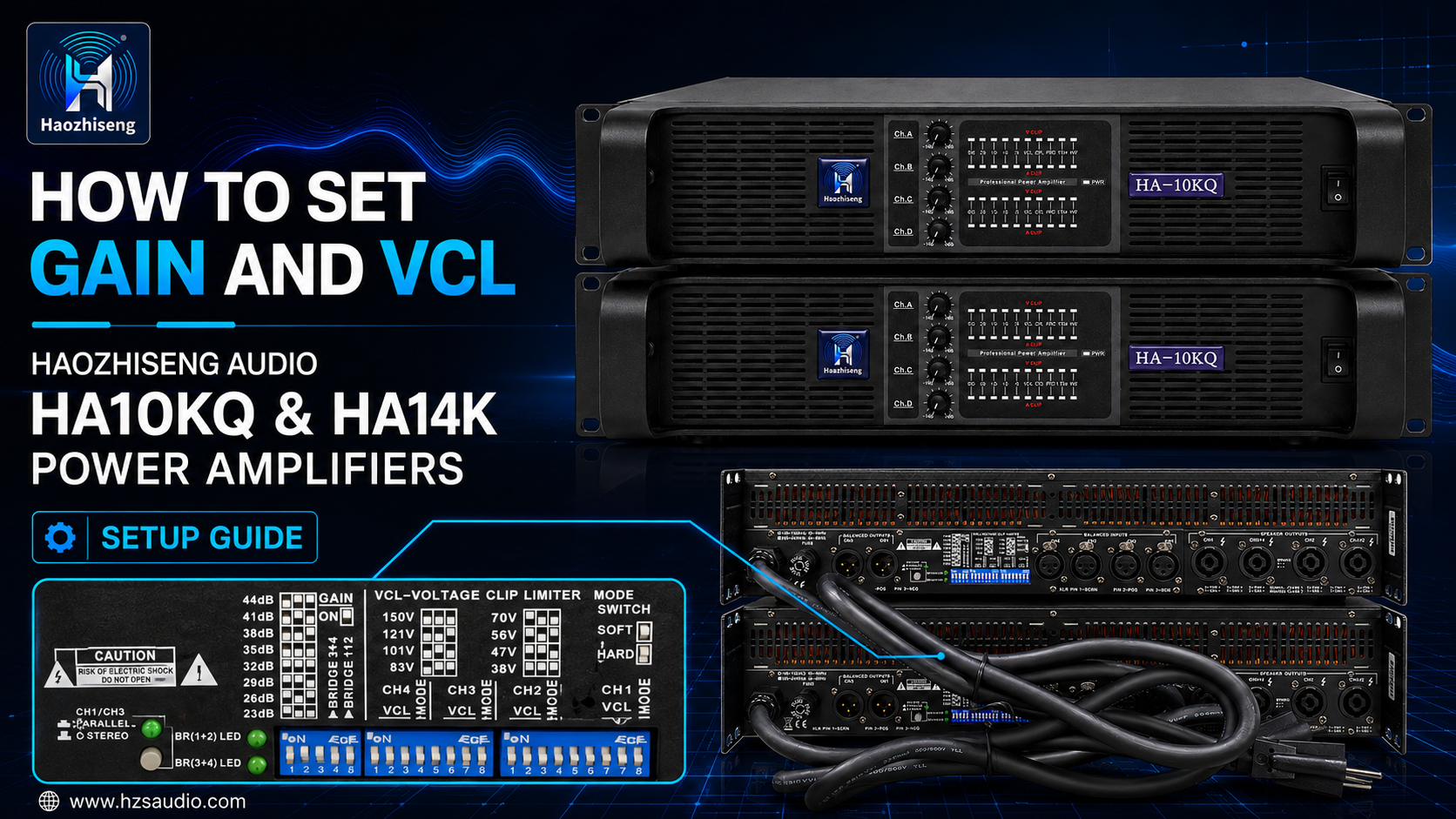
How to Set Gain and VCL on Haozhiseng Audio HA10KQ and HA14K Power Amplifiers
When a power amplifier has a higher output rating than the connected loudspeaker, proper system configuration is essential. Gain and VCL settings can help match the amplifier’s input sensitivity and manage output voltage according to the loudspeaker’s power-handling requirements.
This guide explains the Gain and VCL controls located on the rear panel of the Haozhiseng Audio HA10KQ and HA14K power amplifiers.
Confirm the Amplifier Output Rating
Before adjusting Gain or VCL, confirm the amplifier’s rated output power and the impedance of the connected loudspeakers.
- HA10KQ: 4 × 1,350 W at 8 Ω; 4 × 2,100 W at 4 Ω; 4 × 2,500 W at 2 Ω. Four-channel power amplifier.
- HA14K: 2 × 2,350 W at 8 Ω; 2 × 4,400 W at 4 Ω; 2 × 7,000 W at 2 Ω. Two-channel power amplifier.
Always select Gain and VCL settings according to the loudspeaker’s impedance, power rating, and the requirements of the complete sound system.
The Gain Function
Gain is a global setting that applies to all amplifier channels. It can be adjusted from +23 dB to +44 dB in 3 dB increments using the DIP switches on the rear panel.
Changing the Gain setting changes the amplifier’s input sensitivity. A higher Gain setting requires less input voltage to reach the desired output level, while a lower Gain setting requires more input voltage.
The rear panel also includes bridge-mode switches:
- Bridge 1+2: Combines Channels 1 and 2 for bridged operation.
- Bridge 3+4: Combines Channels 3 and 4 for bridged operation.
When bridge mode is selected, an automatic −6 dB gain compensation is applied.
Gain Settings and Input Sensitivity
The following charts illustrate how different Gain settings affect the input sensitivity of the HA10KQ and HA14K power amplifiers.
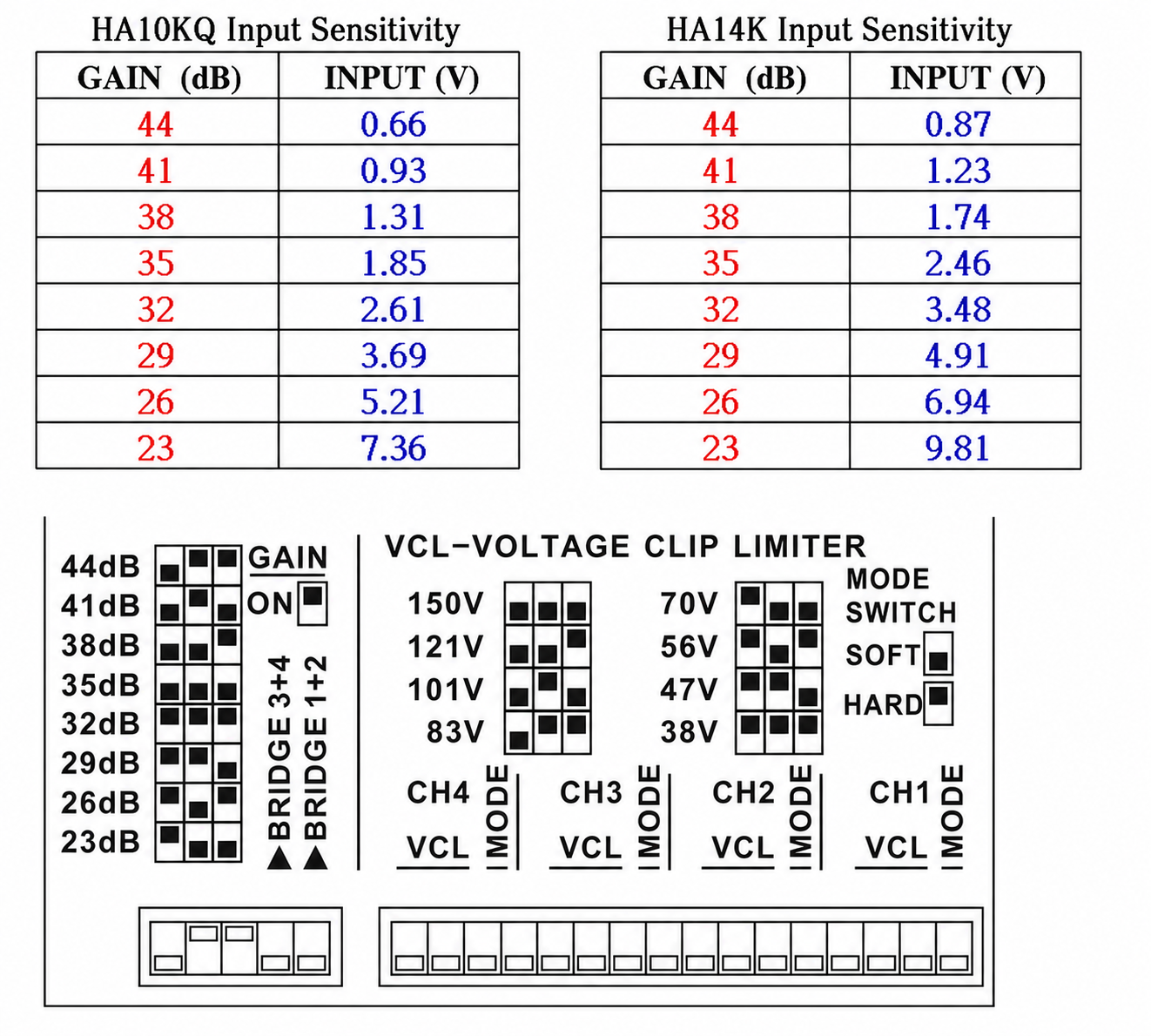
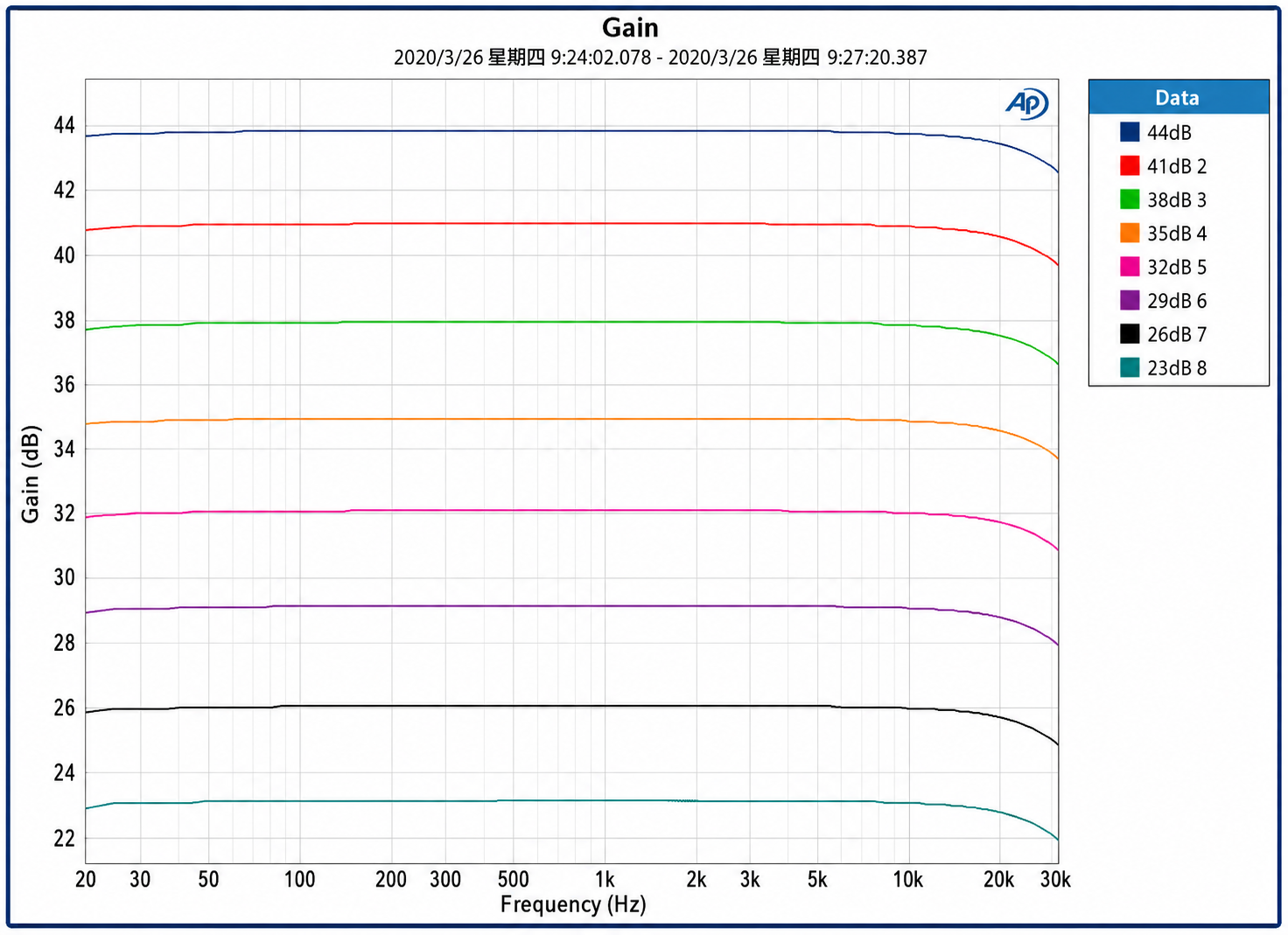
Use the chart that corresponds to the amplifier model being configured. The correct Gain setting should be selected according to the output level of the signal source and the sensitivity requirements of the complete sound system.
VCL — Voltage Clip Limiter
VCL stands for Voltage Clip Limiter. It limits the amplifier’s output voltage to help manage the maximum power delivered to the connected loudspeakers.
Each channel provides eight discrete VCL voltage settings. Select the setting that best matches the power-handling capability of the connected loudspeaker.
Using the appropriate VCL setting can help reduce the risk of excessive output voltage and improve system reliability. However, VCL settings should always be used together with correct loudspeaker selection, crossover configuration, and system protection.
VCL Mode: Hard or Soft
The Mode switch selects either Hard or Soft VCL operation.
- Hard Mode: Generally recommended for subwoofers and low-frequency drivers where stronger clip limiting is required.
- Soft Mode: Generally recommended for mid-frequency and high-frequency drivers where smoother limiting behavior is preferred.
The correct mode depends on the loudspeaker design, crossover point, system configuration, and application requirements.
VCL Voltage and Output Power
The following charts illustrate the relationship between the selected VCL voltage, RMS output voltage, and output power at an 8 Ω load.
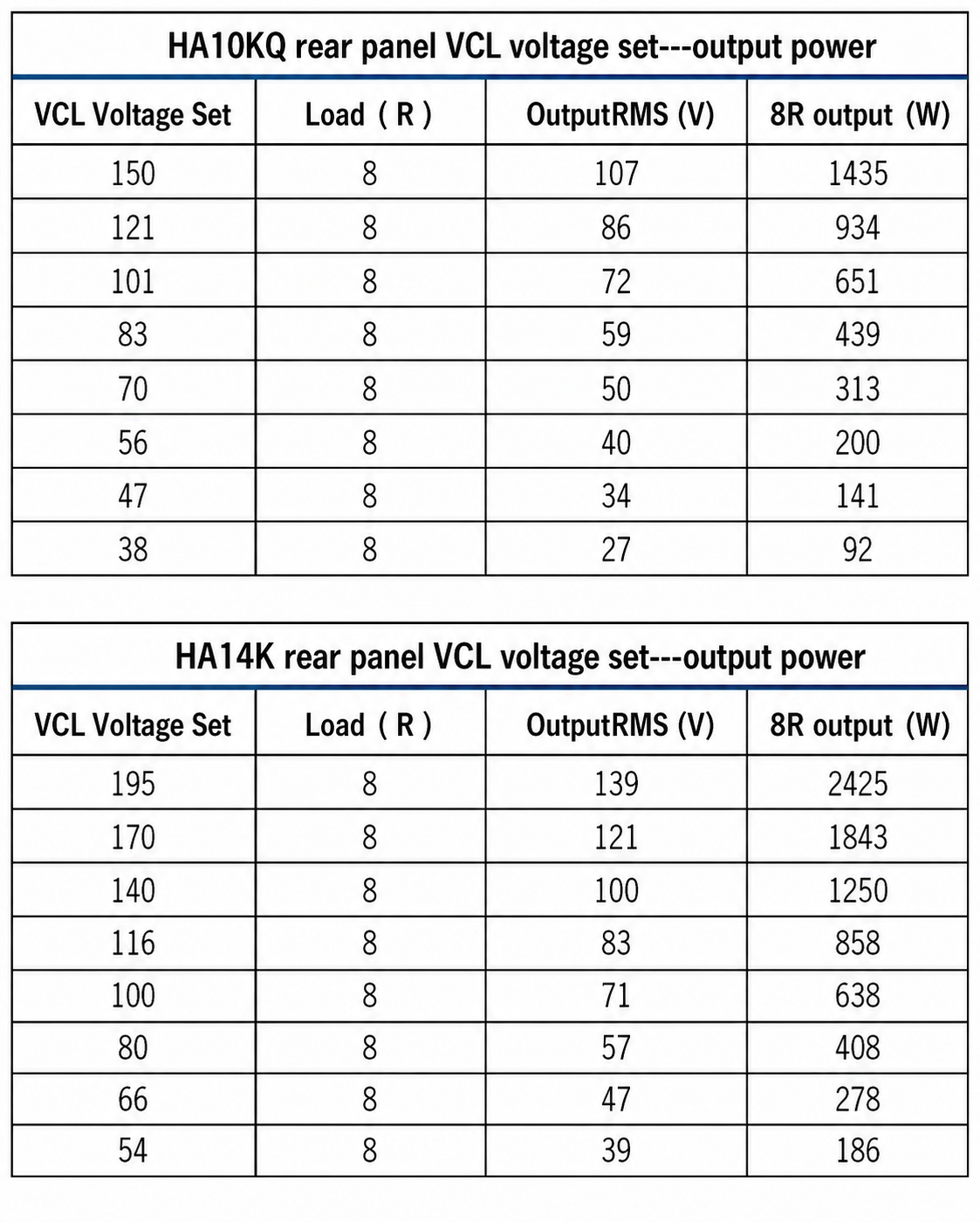
The charts include the corrected model names:
- HA10KQ Rear-Panel VCL Voltage Set and Output Power
- HA14K Rear-Panel VCL Voltage Set and Output Power
Recommended Setup Procedure
- Confirm the loudspeaker impedance and power-handling rating.
- Check the rated output power of the HA10KQ or HA14K amplifier.
- Set the Gain according to the input sensitivity and output level of the audio system.
- Select an appropriate VCL voltage setting for the connected loudspeaker.
- Select Hard or Soft VCL Mode according to the driver type and system design.
- Test the system at a low level before increasing the output.
- Monitor the amplifier’s signal, clip, and limiter indicators during operation.
Important Note
Gain and VCL settings should be configured by a qualified audio technician. Do not use a high-powered amplifier with a lower-rated loudspeaker without properly setting the amplifier’s output limits and checking the complete system protection configuration.
Leave a Reply